맥(Mac)에는 기본적으로 wget이 설치되어 있지 않다. 만약 Brew가 설치되어있다면 아래와 같은 명령으로 설치할 수 있다.
$brew install wget
만약에 Brew가 설치되어 있지 않다면 아래 명령으로 우선 Brew를 설치해야 한다.
/bin/bash -c “$(curl -fsSL https://raw.githubusercontent.com/Homebrew/install/HEAD/install.sh)”
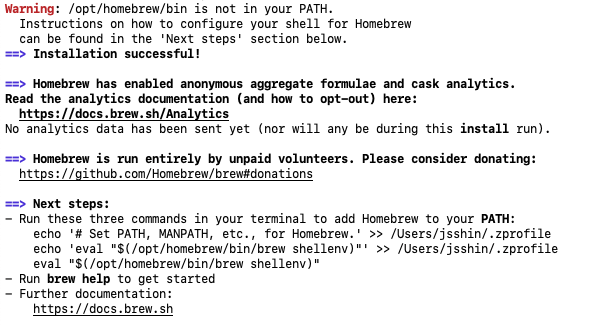
위와 같이 설치해도 brew가 경로에 설정되어 있지 않아 실행할 수 없다. 설치시 마지막에 이런 게 표시된다.
==> Next steps:
– Run these three commands in your terminal to add Homebrew to your PATH:
echo ‘# Set PATH, MANPATH, etc., for Homebrew.’ >> /Users/jsshin/.zprofile
echo ‘eval “$(/opt/homebrew/bin/brew shellenv)”‘ >> /Users/jsshin/.zprofile
eval “$(/opt/homebrew/bin/brew shellenv)”– Run brew help to get started
맥(Mac)에서 사용하는 zsh의 프로파일인 .zprofile에/opt/homebrew/bin/brew shellenv를 실행하도록 추가해서 brew를 사용할 수 있도록 해준다.
* 참고사이트 : https://brew.sh/index_ko