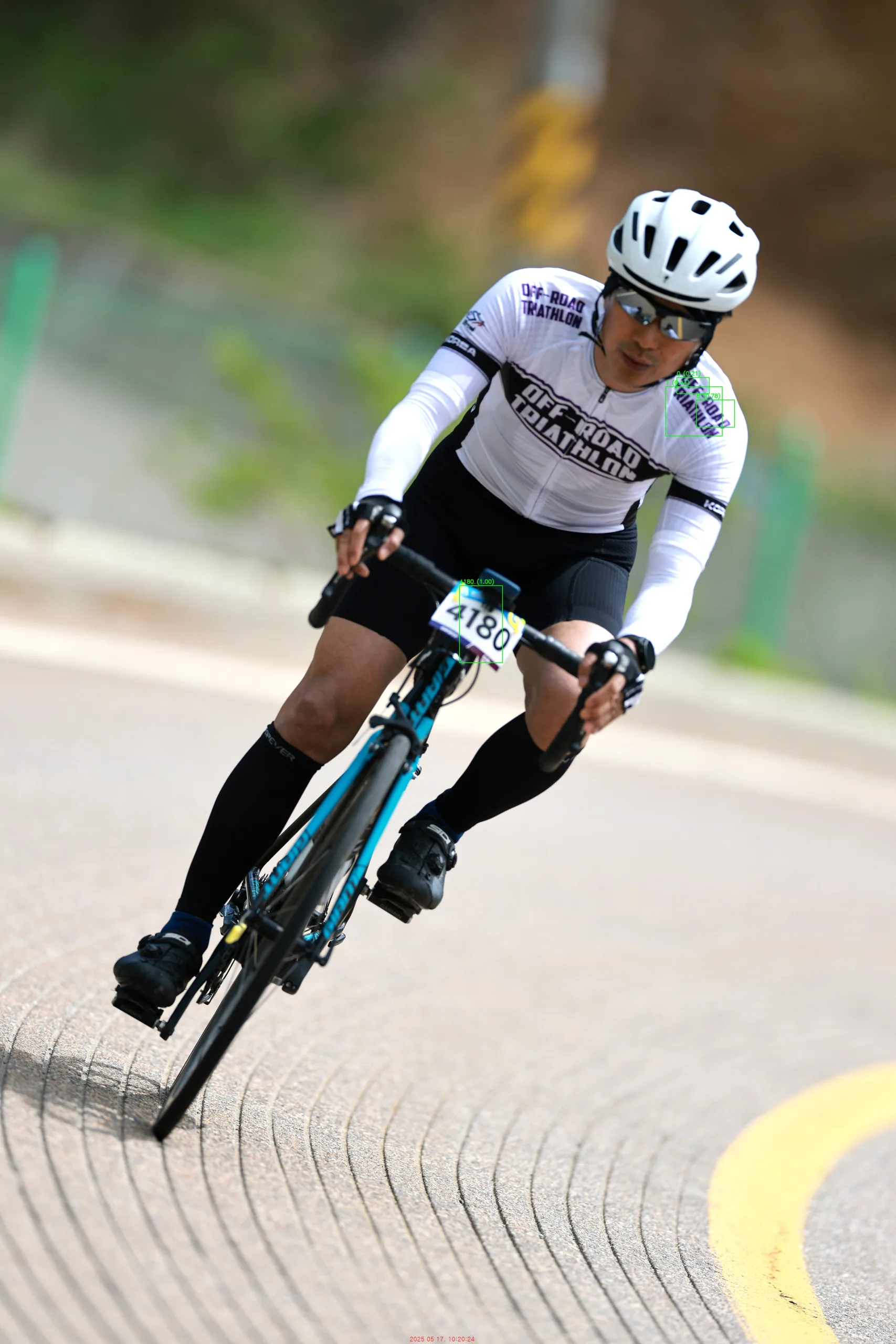
특정 폴더에 저장된 이미지 파일에서 숫자를 인식하는 파이썬 소스를 작성했다.
AI가 처음엔 문자열을 인식하지 못하다가 유료버전을 사용하니, 다른 방법을 사용했는데, 정확하게 인식을 한다.
pip install easyocr
pip install opencv-python Pillow


import os
import cv2
import easyocr

# 설정
input_folder = "./"
output_folder = "./saved"

reader = easyocr.Reader(['en'], gpu=False)
os.makedirs(output_folder, exist_ok=True)

valid_extensions = ['.jpg', '.jpeg', '.png', '.bmp']

for filename in os.listdir(input_folder):
    if not any(filename.lower().endswith(ext) for ext in valid_extensions):
        continue

    image_path = os.path.join(input_folder, filename)
    image = cv2.imread(image_path)

    if image is None:
        print(f"❌ 이미지 로딩 실패: {filename}")
        continue

    image_height = image.shape[0]
    results = reader.readtext(image)
    found = False

    for bbox, text, confidence in results:
        clean_text = text.replace(" ", "")
        y_top = bbox[0][1]
        y_bottom = bbox[2][1]
        y_center = (y_top + y_bottom) / 2

        # 하단 10%에 걸친 텍스트 무시
        if y_center > image_height * 0.90:
            continue

        if clean_text.isdigit():
            found = True
            top_left = tuple(map(int, bbox[0]))
            bottom_right = tuple(map(int, bbox[2]))

            cv2.rectangle(image, top_left, bottom_right, (0, 255, 0), 2)
            cv2.putText(
                image,
                f'{clean_text} ({confidence:.2f})',
                (top_left[0], top_left[1] - 10),
                cv2.FONT_HERSHEY_SIMPLEX,
                0.8,
                (0, 255, 0),
                2
            )
            print(f"[인식됨] 숫자: {clean_text} (정확도: {confidence:.2f})")

    output_path = os.path.join(output_folder, f"annotated_{filename}")
    cv2.imwrite(output_path, image)

    if found:
        print(f"✅ 숫자 인식 및 저장: {output_path}")
    else:
        print(f"ℹ️ 숫자 없음 또는 무시됨: {filename}")
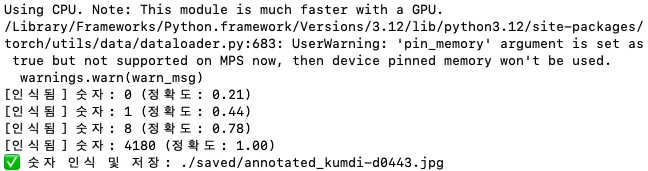
결과는 아래처럼 나온다.
Using CPU. Note: This module is much faster with a GPU.
[인식됨] 숫자: 0 (정확도: 0.21)
[인식됨] 숫자: 1 (정확도: 0.44)
[인식됨] 숫자: 8 (정확도: 0.78)
[인식됨] 숫자: 4180 (정확도: 1.00)
✅ 숫자 인식 및 저장: ./saved/annotated_kumdi-d0443.jpg
물론 별도 폴더에 인식한 숫자 위치에 박스로 표시해 준다.
이 작업은 GPU를 이용해야 빠르다. 이미지에서 문자열을 찾는 작업에 엄청난 자원을 사용한다. 이래서 AI가 전기 먹는 하마인가 보다. 잠깐 테스트하는데도 다른 작업이 힘들 정도이다.